I run several containers and virtual machines around the world that host different websites. Most of these nodes have public IPv4 and IPv6 addresses and use nginx to serve content.
Instead of leaving the generic default landing page provided by distribution maintainers, I prefer to name each node and replace the default page with my own template to give it a cleaner look. I also configure HTTPS for all of these nodes to prevent man-in-the-middle attacks.
For example, the blog you are reading right now uses GeoDNS to route traffic across some of these servers. You can see more information about these nodes here.
Setting everything up
Choose a directory in which index.html will be stored for the default server.
By default, it's /var/www/html.
I don't like the default landing page provided by Debian, so I delete it:
rm /var/www/html/index.nginx-debian.html
Create index.html:
touch /var/www/html/index.html
I've created the following template, but you may design your page in any way you want:
<!DOCTYPE html>
<html>
    <head>
        <title>Welcome to example.com!</title>
        <style>
            body {
                width: 35em;
                margin: 0 auto;
                font-family: Tahoma, Verdana, Arial, sans-serif;
            }
        </style>
    </head>
    <body>
        <h1>Welcome to example.com!</h1>
        <p>This is example.com server. Check example.com for more information.</p>
    </body>
</html>
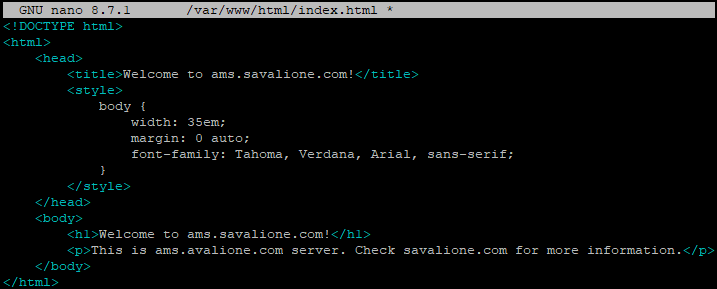
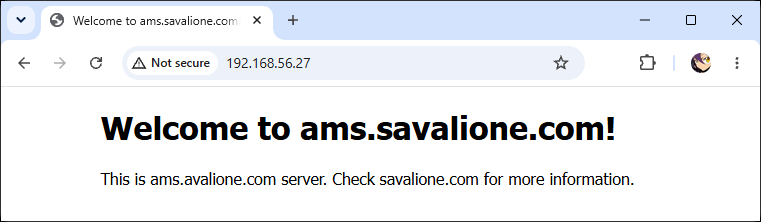
For my servers, it usually looks like this:
Create a directory for certificates:
mkdir -p /etc/nginx/ssl/default
Issue self-signed certificates:
openssl req -x509 -nodes -days 1825 -newkey rsa:2048 -keyout /etc/nginx/ssl/default/default.key -out /etc/nginx/ssl/default/default.crt
Here, 1825 specifies the number of days the certificate will be valid.
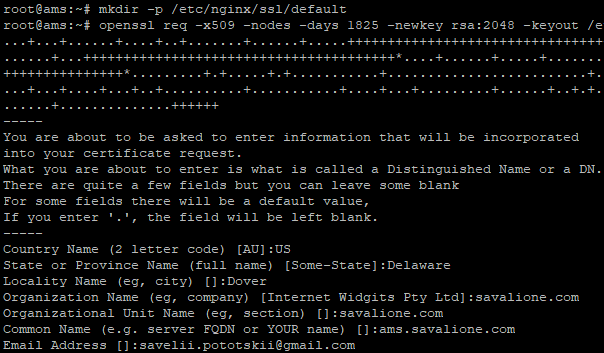
You will be prompted with the following questions:
Country Name (2 letter code) [AU]:
State or Province Name (full name) [Some-State]:
Locality Name (eg, city) []:
Organization Name (eg, company) [Internet Widgits Pty Ltd]:
Organizational Unit Name (eg, section) []:
Common Name (e.g. server FQDN or YOUR name) []:
Email Address []:
You may enter any information you see fit:
To configure the certificates for the default server, include the following lines in the server block:
listen 443 ssl default_server;
listen [::]:443 ssl default_server;
ssl_certificate /etc/nginx/ssl/default/default.crt;
ssl_certificate_key /etc/nginx/ssl/default/default.key;
ssl_protocols TLSv1.2 TLSv1.3;
ssl_ciphers HIGH:!aNULL:!MD5;
Usually, I completely wipe the default configuration:
rm /etc/nginx/sites-available/default
touch /etc/nginx/sites-available/default
And add the following:
# default server
server {
    listen 80 default_server;
    listen 443 ssl default_server;
    listen [::]:80 default_server;
    listen [::]:443 ssl default_server;

    server_name _;

    ssl_certificate /etc/nginx/ssl/default/default.crt;
    ssl_certificate_key /etc/nginx/ssl/default/default.key;

    ssl_protocols TLSv1.2 TLSv1.3;
    ssl_ciphers HIGH:!aNULL:!MD5;

    root /var/www/html;
    index index.html;

    location / {
        try_files $uri $uri/ =404;
    }
}
Alternatively, you may want to redirect HTTP to HTTPS. In this case, your configuration may look like this:
# default server
server {
    listen 443 ssl default_server;
    listen [::]:443 ssl default_server;

    server_name _;

    ssl_certificate /etc/nginx/ssl/default/default.crt;
    ssl_certificate_key /etc/nginx/ssl/default/default.key;

    ssl_protocols TLSv1.2 TLSv1.3;
    ssl_ciphers HIGH:!aNULL:!MD5;

    root /var/www/html;
    index index.html;

    location / {
        try_files $uri $uri/ =404;
    }
}

server {
    listen 80 default_server;
    listen [::]:80 default_server;

    server_name _;

    return 301 https://$host$request_uri;
}
Test that the nginx configuration is correct:
nginx -t
If everything is fine, restart nginx:
systemctl restart nginx.service
Showcase
If you used the provided html template, this is what the HTTP server will look like:
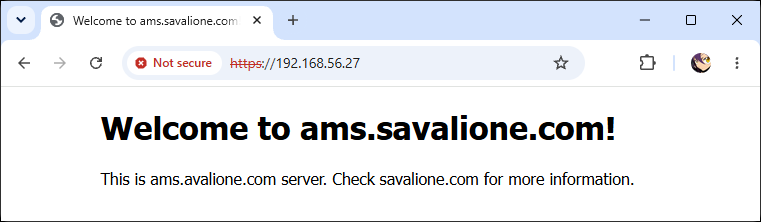
This is what the HTTPS server will look like:
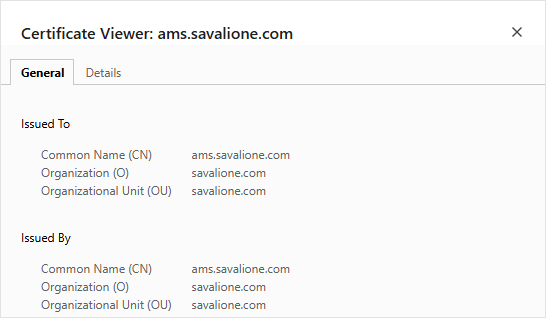
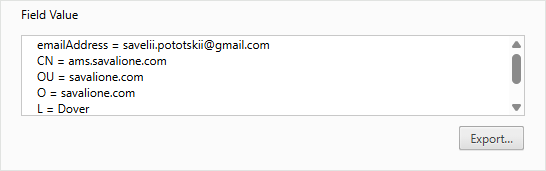
Here is the certificate information displayed in the browser: